Make room for what’s next.

Find what’s filling your Mac, from old caches to forgotten files and app leftovers. See what Tinymop finds, then choose what goes.

One-time purchaseFree 7-day trialNotarized by ApplemacOS 15 or later

Scan. Tick. Done.

From finding the clutter to choosing what goes.

1 · SCAN · SYSTEM JUNK
zCACHETMPCRASH7.54 GB
freed
SYSTEM JUNK · SCANNING
Starting…
found so far
Looking inside Brave BrowserLooking inside ClaudeLooking inside TelegramLooking inside Xcode
Watch it look96,542 files checked, nothing personal.
2 · CHOOSE · DEVELOPER FILES
Developer FilesXcode · Simulators · Packages · Caches
↻ Start over
FOUND
0 GBfrom 7 tools on this Mac
Ticked 5.01 GBYour call 2.18 GB
REBUILDS ITSELF
Xcode build data9 projects3.84 GB
Package downloads4 tools1.17 GB
Xcode caches1 place2.9 MB
YOUR CALL
Xcode Archives1 place1.59 GB
Simulator data1 place593.1 MB
5.01 GB selected · 3 kindsDeleted right away, so the space is free now.
5.01 GB in
one click
You chooseOnly what your tools rebuild is ticked.
3 · DONE · SIMILAR PHOTOS
★kept the
best ones
All tidy.
0 MB · 94 photos to the Trash
All tidyThe sharpest one kept in every set.
Every tool, one desk

A tool for each kind of mess.

System JunkCaches · Logs · Crash reports · App parts
↻ Start over
FOUND
0 GBin 96,542 files · nothing personal
Ticked 7.54 GBYour call 26.54 GB
REBUILDS ITSELF
User Cache FilesClaude, Brave Browser…9.14 GB
Derived Data4 projects3.19 GB
Browser CachesBrave Browser and Safari1.62 GB
Developer Caches4 tools456.4 MB
Old LogsOlder than 30 days5.5 MB
7.54 GB selected · 2 kindsDeleted right away, so the space is free now.
7.54 GB in
one click
Results you can readEvery item says why it was found. Only safe things are ticked.
Clean build ✓DerivedData5.01 GB
cleared
DEVELOPER FILES · SCANNING
Starting…
found so far
Looking inside DerivedDataLooking inside SwiftPMLooking inside CocoaPods
ScanningA real count, never a spinner.
Clean 5.01 GB?Xcode build data, packages and caches · 5.01 GB
Delete permanentlyThe space is free right away🗑
Move to TrashYou can get them back
CancelDelete 5.01 GB
Your pickDelete now, or to the Trash.
★kept the
best ones
All tidy.
0 MB · 94 photos to the Trash
All tidyThe freed space, measured.
Zoom
removed
ApplicationsApps and every leftover
Desktop
is tidy
ScreenshotsOld captures piling up
3 fixes
done
Tune-upReal fixes, measured
zCACHETMPCRASH7.54 GB
freed
System JunkCaches, logs, crash reports
Space Map

Where did it all go?

Space Map draws your disk folder by folder, biggest first. Click into any folder, or open it in Finder.

Users138.96 GBSystem25.04 GBApplications21.25 GBprivate13.12 GBLibrary10.56 GBopt and usr3.62 GB

Macintosh HD on the Mac this site was made on · 212.54 GB in 451,458 folders
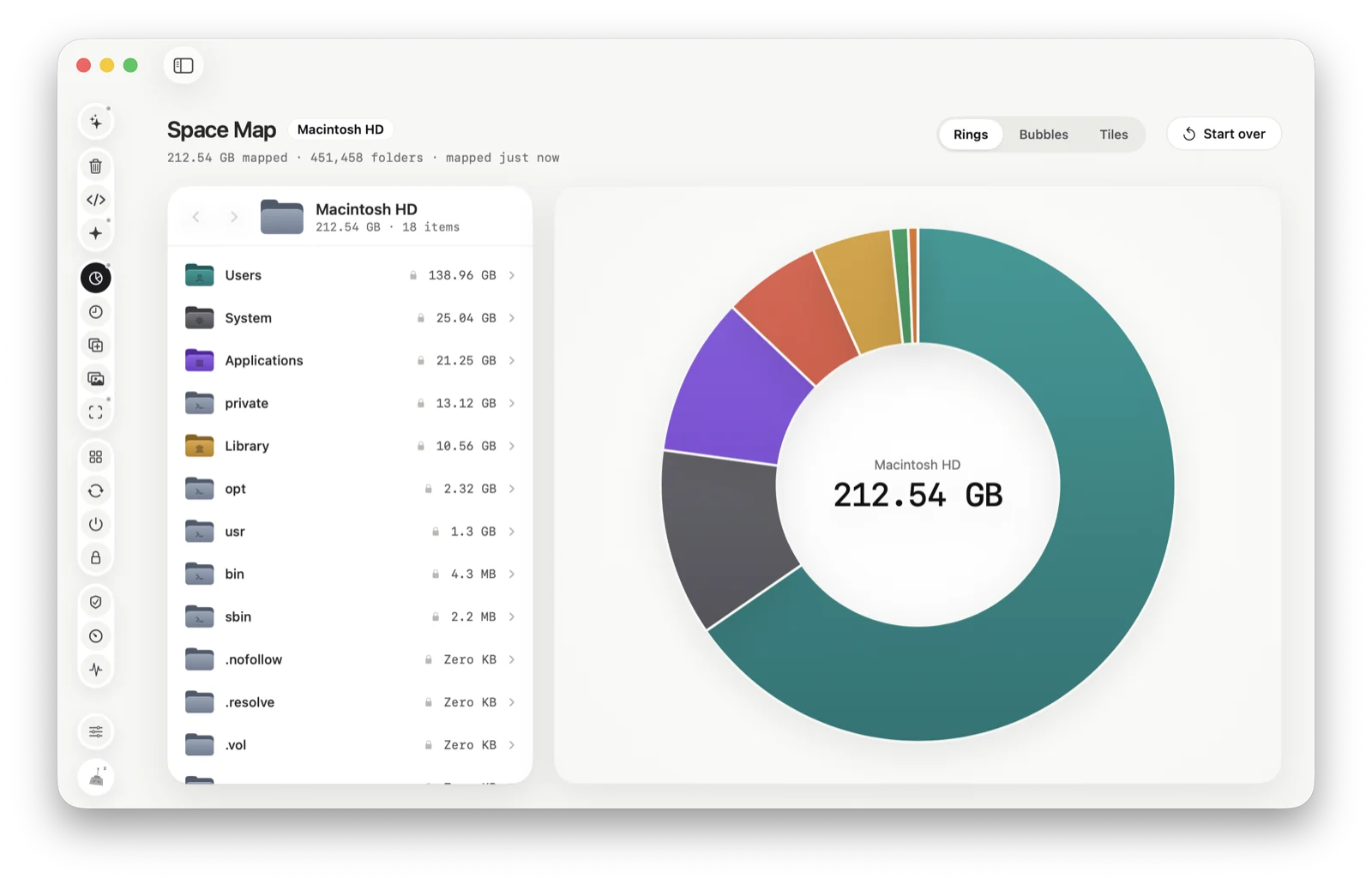
Space Map showing Macintosh HD: 212.54 GB in 451,458 folders, with Users the biggest at 138.96 GB
Similar Photos

Keep the best shot.

Lookalike photos side by side. Nothing is ticked until you ask, and the best of each set is always kept.
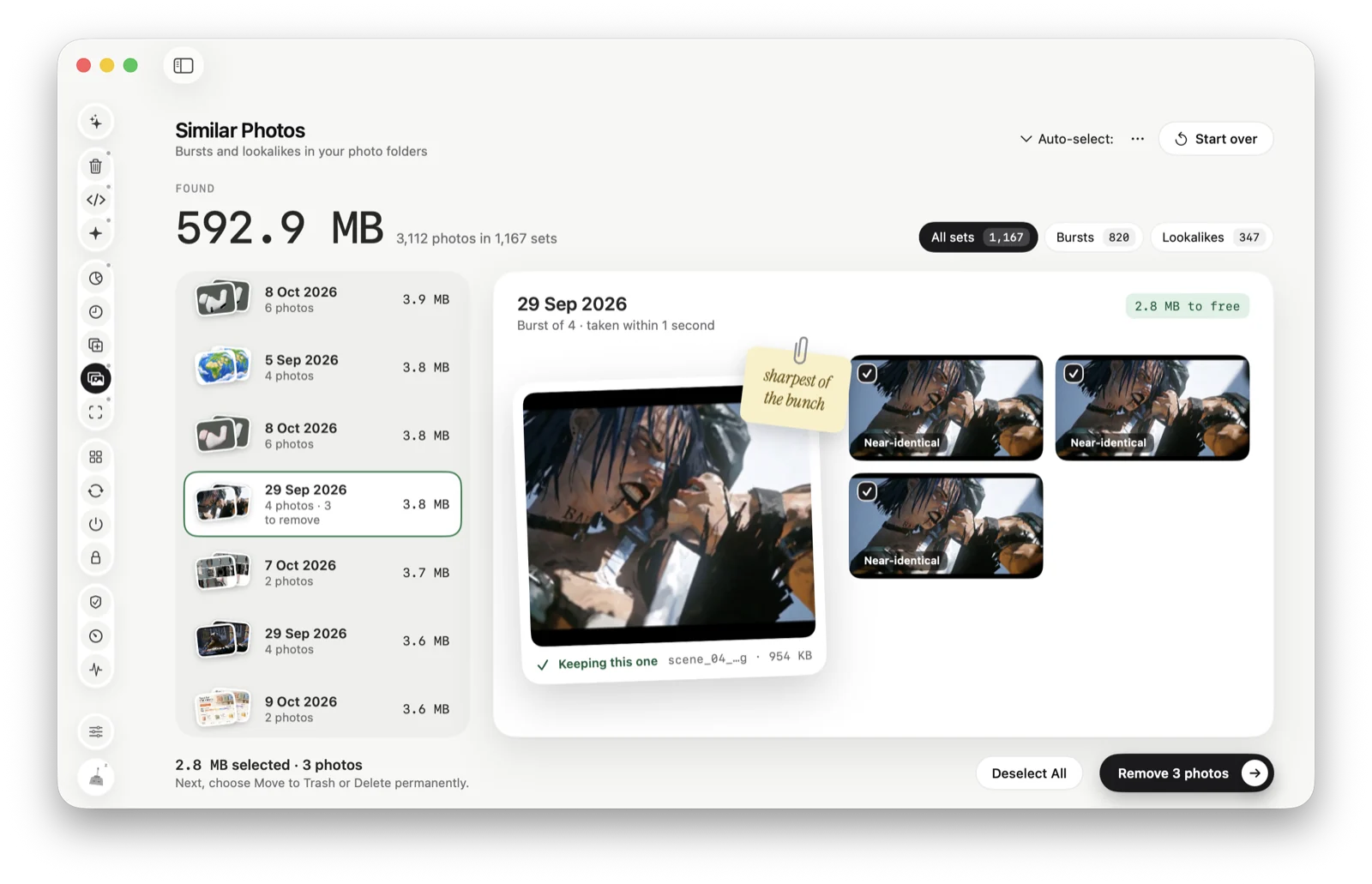
3,112 photos checked hereThe sharpest one is keptOthers go to the Trash
Similar Photos results: sets of lookalike photos with the sharpest one marked to keep
System Junk

Clear out the buildup.

Caches, logs and other leftovers, each with a line on what it is. Open apps holding space are asked to quit, cleaned, then opened again.
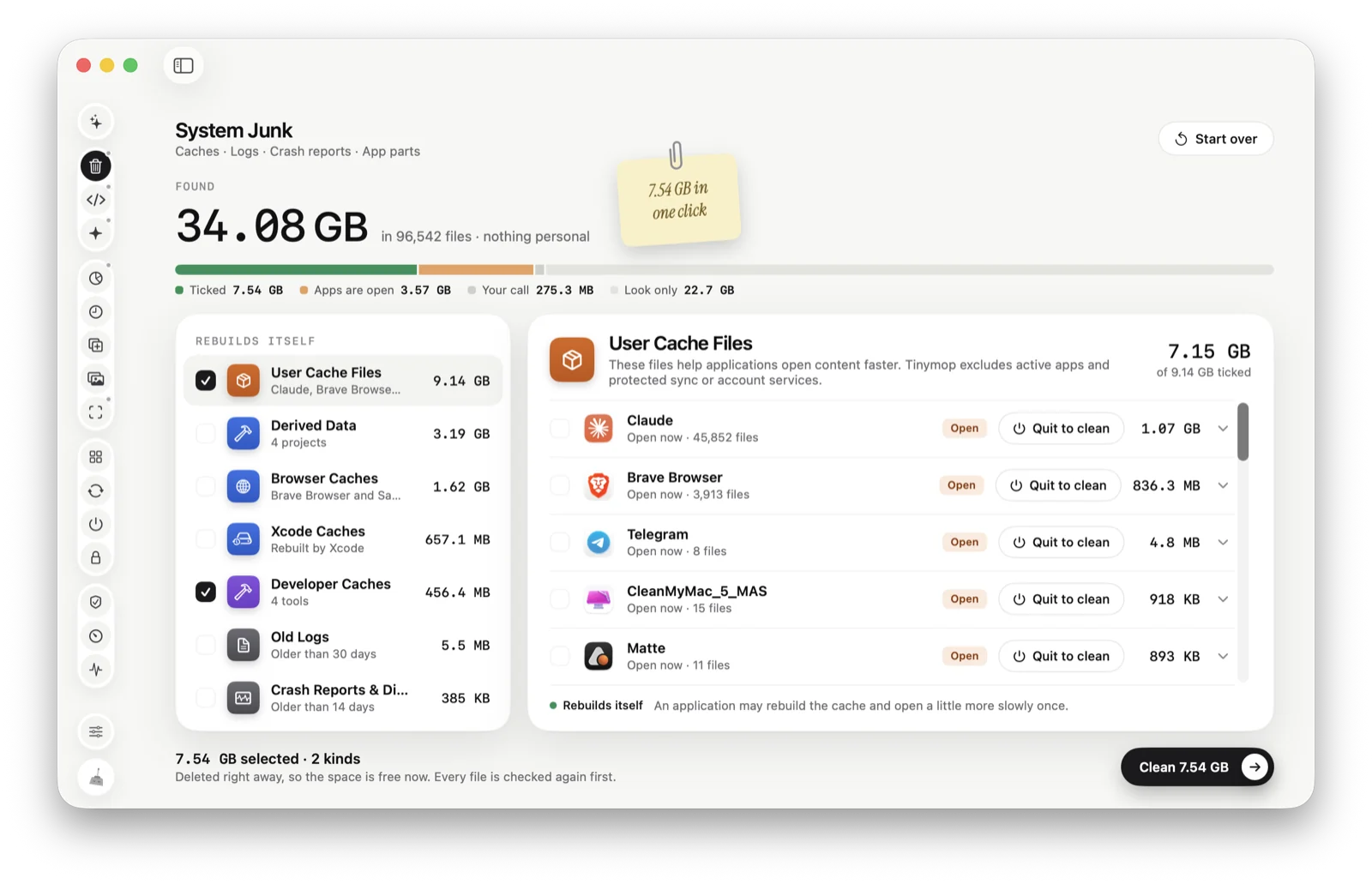
96,542 files, nothing personalOnly what rebuilds itself is tickedChecked again before it goes
System Junk results: 34.08 GB found, with only the safe kinds ticked
Applications

Uninstall the whole app.

Tinymop finds every file an app keeps around your Mac, shows you each path, and removes them together. Files shared with other apps are kept.
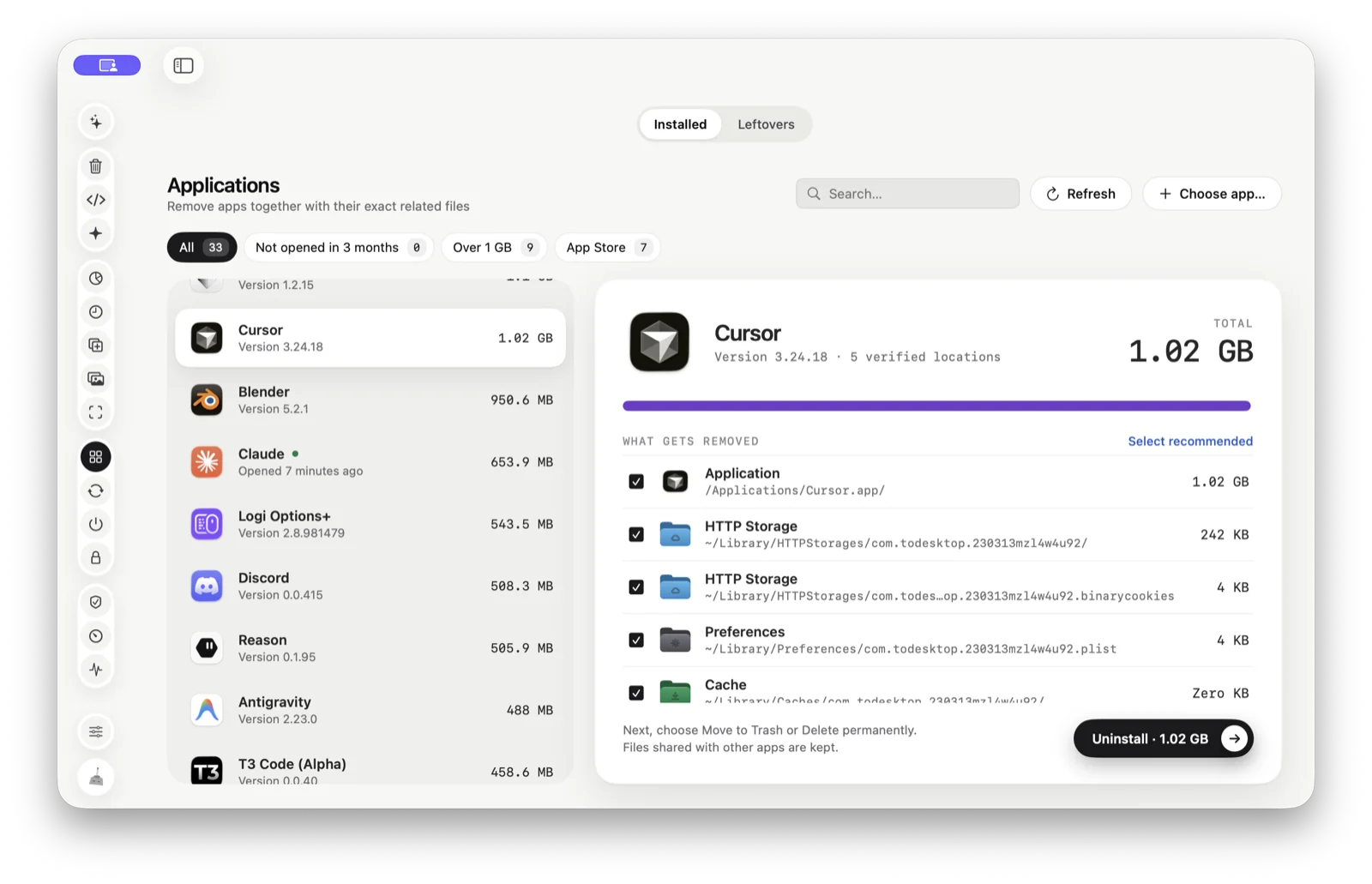
Every related fileExact paths shownShared files kept
Tinymop’s Applications tool with Cursor selected: 1.02 GB in 5 verified locations, each listed with its path before you uninstall

The tools you’ll use most.

Developer Files

Room for your next build.

Xcode build data, simulators and packages. Your code is never touched.
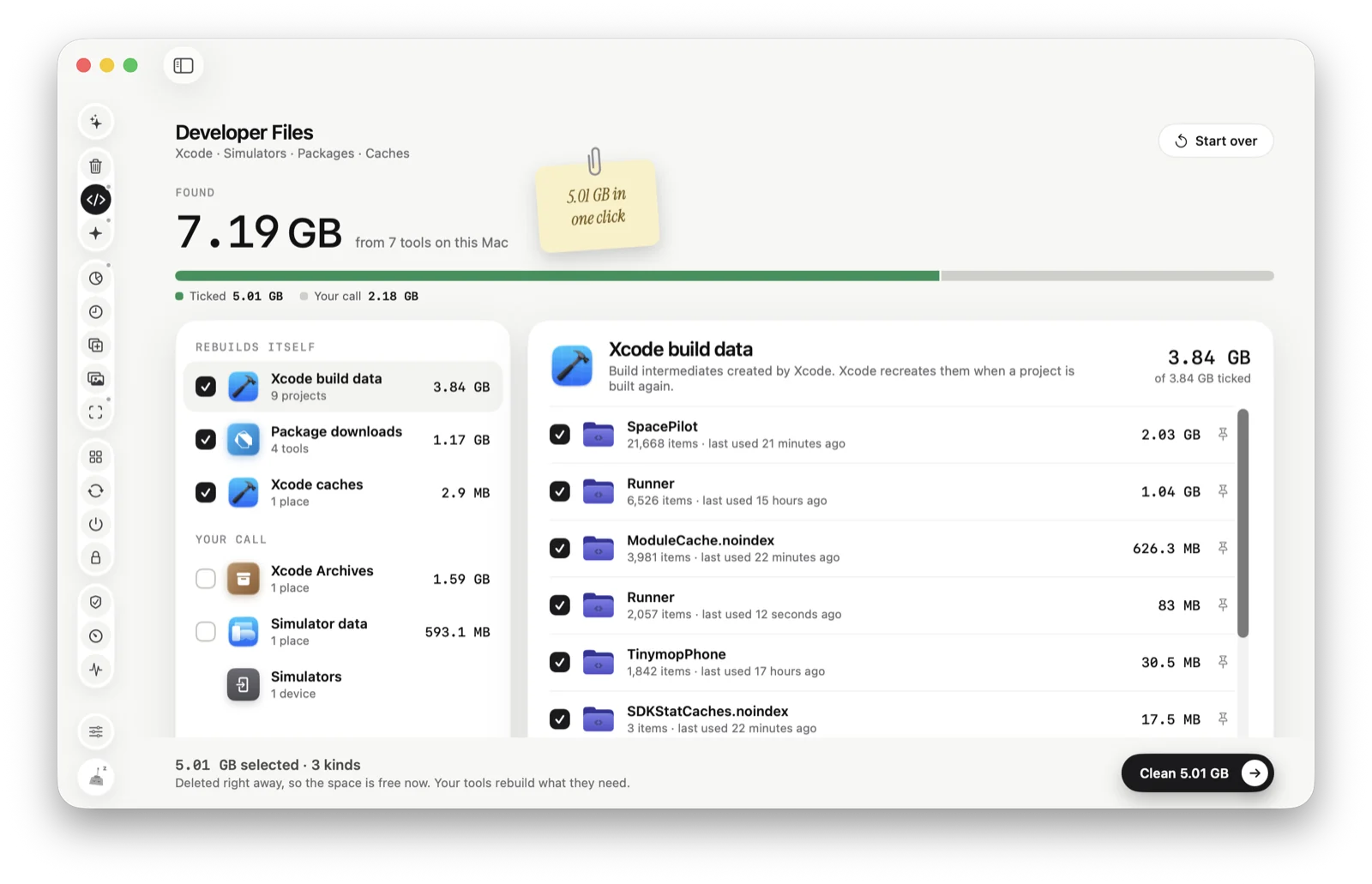
Developer Files results: 7.19 GB found from 7 tools on this Mac
AI Clutter

Tidy up after your AI tools.

Caches and old versions from Claude, Cursor and Codex. Sessions stay unticked.
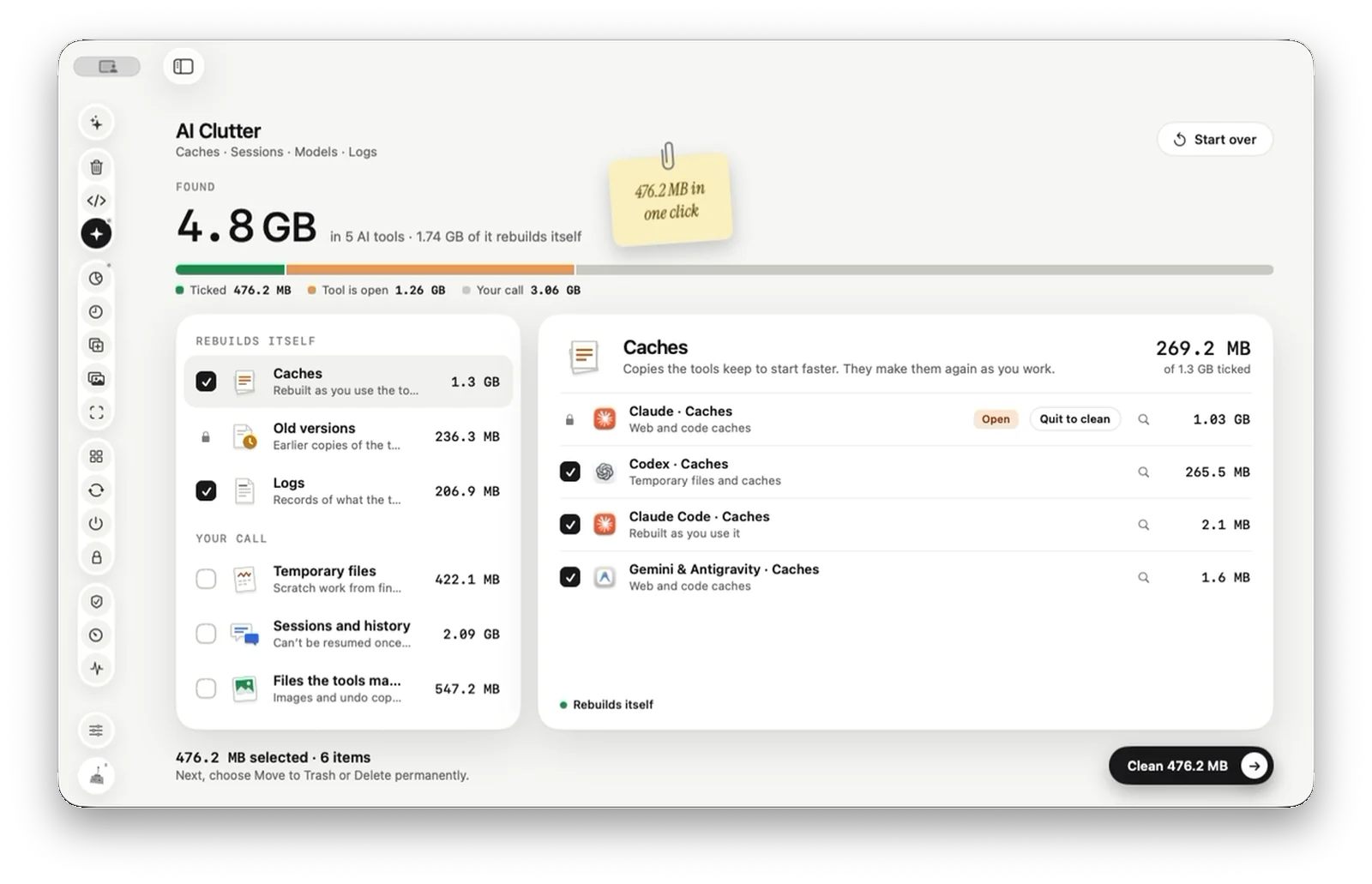
AI Clutter results: 4.8 GB in 5 AI tools, 1.74 GB of it rebuilds itself
Screenshots

Your screenshots had their moment.

Every screen capture on your Mac, grouped by month. You pick which go.
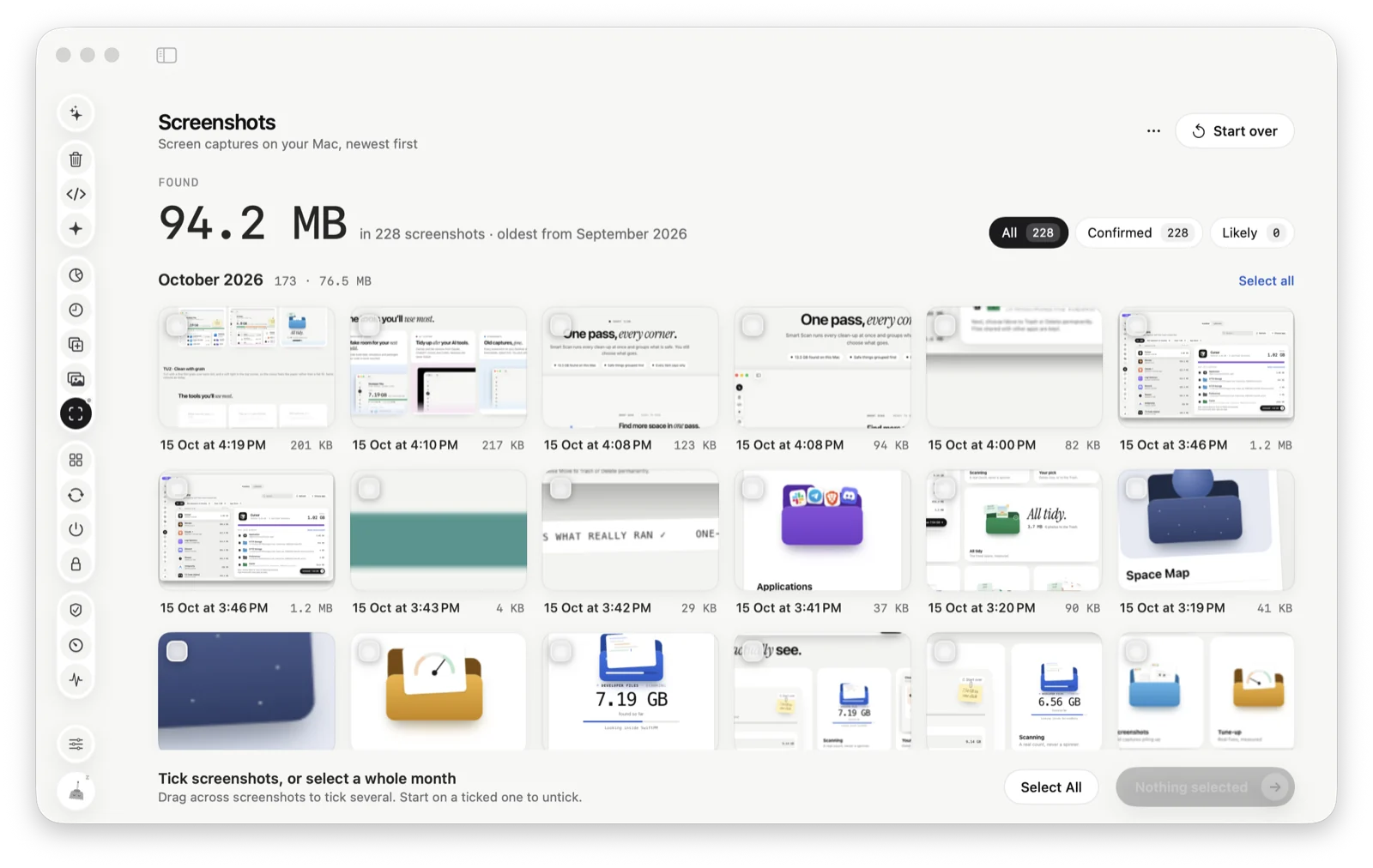
Screenshots: 94.2 MB in 228 screenshots, grouped by month

A tool for every corner.

Fourteen tools in one small app. Each one looks first, shows you what it found, and lets you choose.

Why it’s different
Your Mac is at risk!22 items optimisedSpeed boosted by 300%1,204 problems foundMemory cleaned!Your Mac is 94% healthier

Just what really happened.

Every screen lists what ran, what was skipped and why, measured before and after.

One price.
Yours to keep.

Pay once. No subscription. Every tool, on your Mac, for good.

Tinymop for Mac
$14.99once

One purchase. All the tools.

  • All 14 tools included
  • Pay once. No subscription.
  • Try every tool free for 7 days
  • 14-day money-back guarantee
Your trial starts automatically · macOS 15 or later
Questions

Asked often.

01Is it safe?

Tinymop is notarized by Apple. Only things that rebuild themselves are ticked for you, and personal files go to the Trash, where you can get them back.

02What does it cost?

$14.99 once, after a 7-day free trial. No subscription.

03Will it delete my AI chats or models?

No. AI Clutter only ticks caches, logs and old versions. Sessions, chats and models are never ticked for you.

04Does it make up numbers?

No. Every number is measured on your Mac, and every screen says what ran, what was skipped and why.

05Which Macs does it work on?

Macs with Apple silicon (M1 or later) running macOS 15 or later.

06What if an app is open?

Its files are skipped. You can quit the app from Tinymop to clean them, or leave them for later.

Something else? Write to us.

Tinymop for Mac
Download 7 days free, then $14.99 once · macOS 15 or later