Desktop apps (Claude, Cursor)
Claude and Cursor keep their data in ~/Library/Application Support, in a folder named after the app. Inside, these folders are caches that the app rebuilds:
Cache,Code CacheandGPUCacheCachedData(Cursor)
Quit the app first, then delete those folders. Leave Local Storage, IndexedDB and Preferences alone: that’s where your sign-in and settings live.
ChatGPT
The ChatGPT app keeps its caches in ~/Library/Caches, in folders whose names start with com.openai. Quit the app and those can go; your conversations are stored in your account, not in the cache.
Command-line tools (Claude Code, Codex)
Claude Code and Codex keep their data in hidden folders in your home folder, ~/.claude and ~/.codex. These hold your session history, the thing that lets you resume a conversation. Don’t empty them unless you’re sure you won’t need those sessions; delete old logs inside instead.
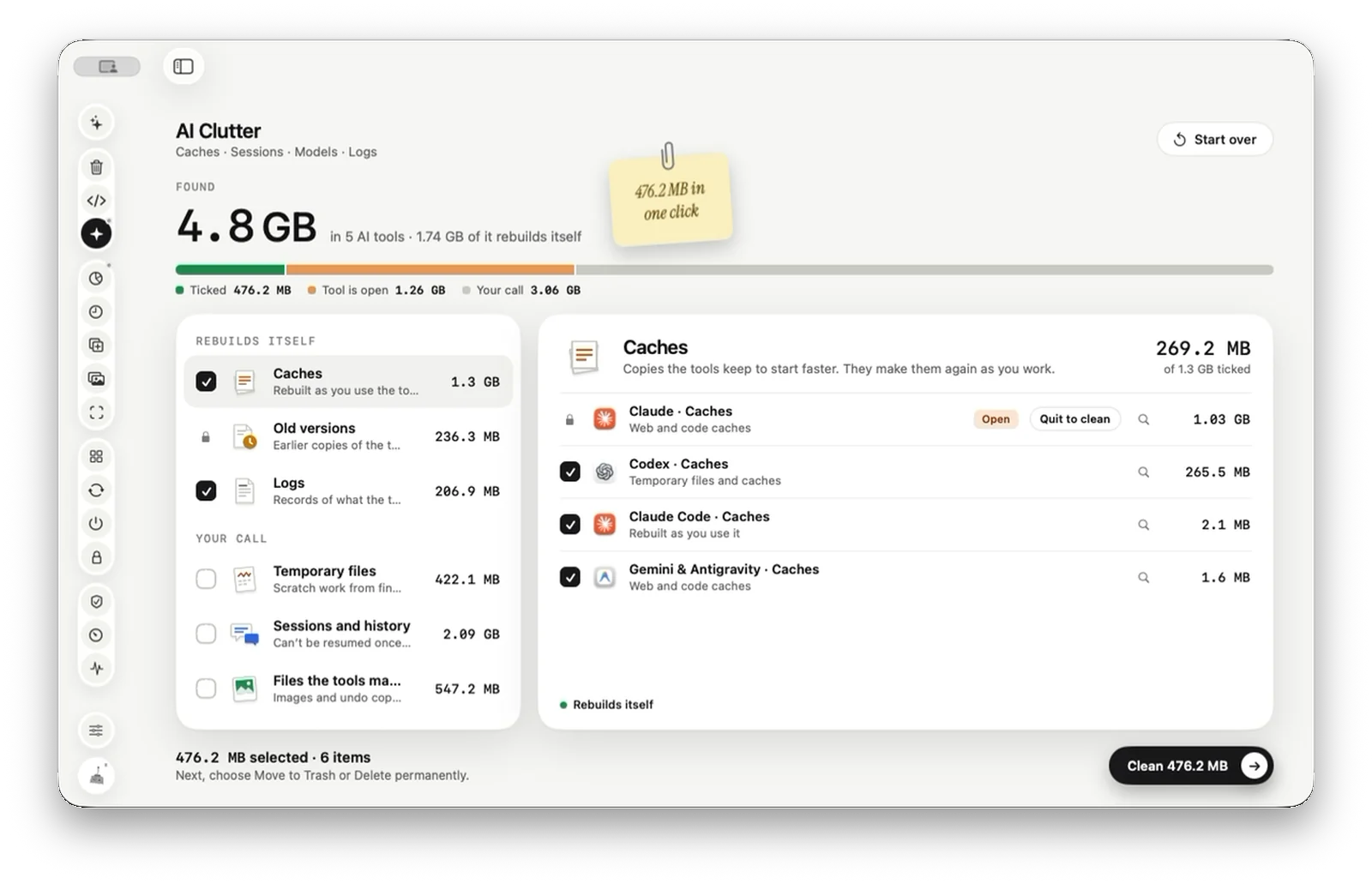
Or let Tinymop sort it
AI Clutter splits what it finds into Rebuilds itself (caches, old versions, logs) and Your call (temporary files, sessions and history, files the tools made). Only the first group is ticked, and a tool that’s open is skipped until you quit it.
Download for Maccleared