These caches are safe to clear: nothing in your projects depends on them, and each tool downloads what it needs again. The only cost is a slower first install afterwards.
See how big they are
This lists the usual cache folders with their sizes, smallest first:
du -sh ~/.npm ~/Library/Caches/Yarn ~/Library/pnpm ~/Library/Caches/pip ~/.cache/uv ~/Library/Caches/pypoetry ~/Library/Caches/Homebrew ~/Library/Caches/CocoaPods ~/.gradle/caches ~/go/pkg/mod ~/.bun/install/cache 2>/dev/null | sort -hFolders you don’t have are skipped. Below, each tool’s own command is the safest way to clear its cache, because it knows what’s still in use.
JavaScript
npm
npm keeps its cache in ~/.npm. Clear it with:
npm cache clean --forceThe --force is npm’s way of asking you to be sure; it’s safe. If you only want to fix a broken cache rather than empty it, run npm cache verify instead.
Yarn
yarn cache cleanOn Yarn 2 and later, add --all to clear the shared cache too.
pnpm
pnpm keeps one shared store for all your projects. This removes only the packages no project uses any more:
pnpm store pruneBun
bun pm cache rmPython
pip
pip cache purgeTo see where it is and how big it is first, run pip cache dir and pip cache info.
uv
uv cache cleanuv cache prune is gentler: it only removes entries uv no longer needs.
Poetry
poetry cache clear PyPI --allHomebrew
Homebrew keeps old versions of what you’ve installed and the files it downloaded. This removes both:
brew cleanup --prune=allRun brew cleanup -n first to see what it would remove without removing anything.
Apple platforms
CocoaPods
pod cache clean --allXcode has much bigger folders of its own. See how to delete Xcode DerivedData, old simulators and device support.
Java and Android
Gradle
Gradle’s cache in ~/.gradle/caches can grow very large. Stop any running Gradle processes first:
gradle --stopThen remove the cache folder:
rm -rf ~/.gradle/cachesThe next build downloads dependencies again, which can take a while for big Android projects.
Go
go clean -modcacheWhat not to delete
- node_modules folders inside your projects. They aren’t caches; they’re your project’s installed packages. You can delete them in projects you’ve finished with, and
npm installbrings them back, but check first that the project still has itspackage.jsonand lock file. - Virtual environments (
.venv,venv) inside Python projects. Like node_modules, they can be rebuilt, but only if you still have the project’s requirements file. - ~/.cargo/bin and ~/go/bin. These hold tools you’ve installed, not caches.
Keep them small
- Run the cleanup commands every few months, or after finishing a big project.
brew cleanupruns on its own now and then, but it keeps recent downloads.--prune=allclears them all.- If you’ve stopped using a language, remove its tools too, and their caches go with them.
Or let Tinymop check
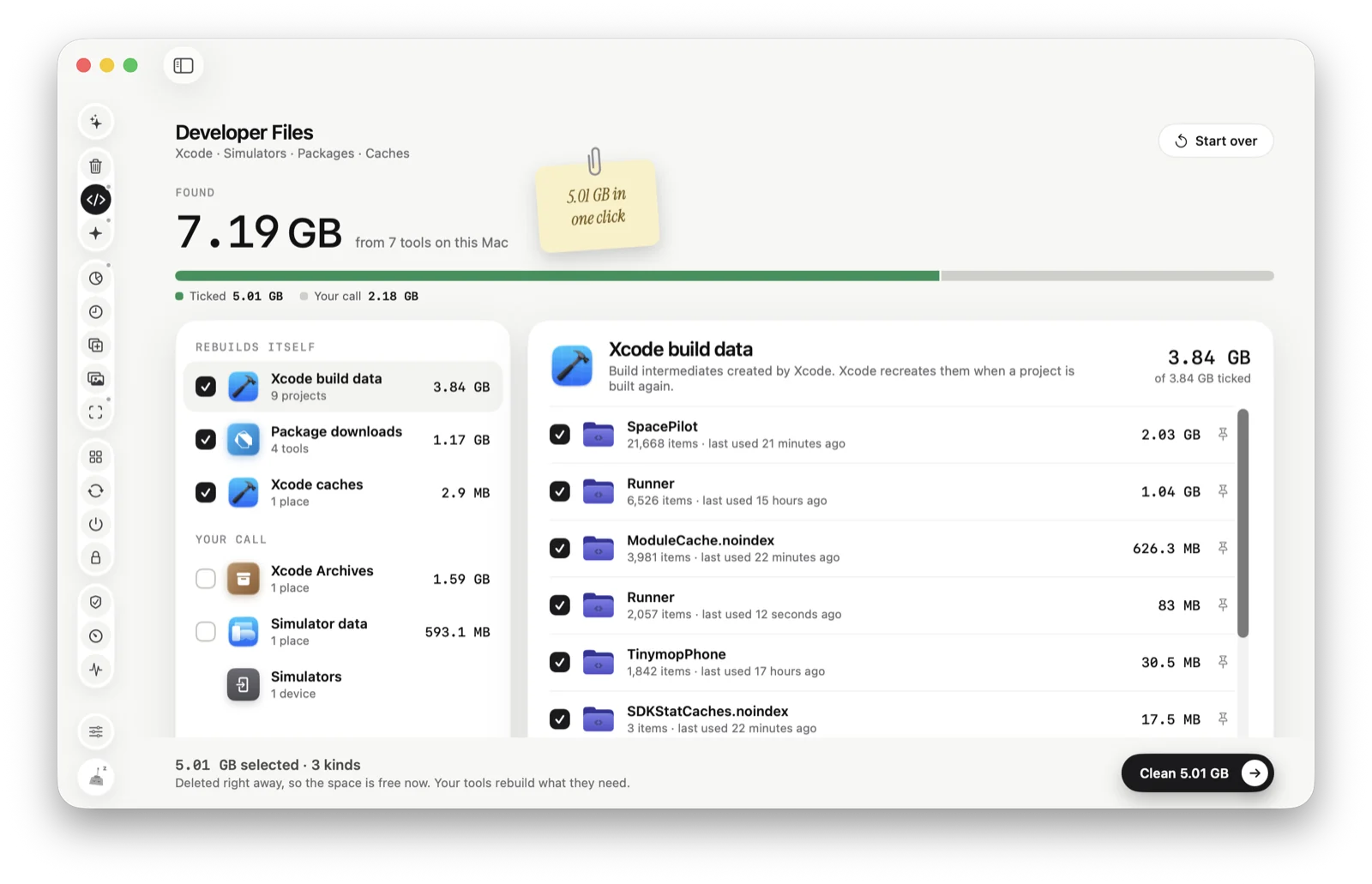
Developer Files finds the caches of npm, Yarn, pnpm, Bun, pip, uv, Poetry, Homebrew, CocoaPods, Gradle, Maven and Cargo alongside Xcode build files and simulators, and shows each one with its size. Only things your tools rebuild are ticked, and you choose what goes.
Download for Maccleared