Here’s how to find them and clear out the ones you don’t use.
Simulator runtimes
Recent versions of Xcode store simulator runtimes separately from Xcode itself, so deleting or updating Xcode doesn’t remove them.
See which ones you have
In Xcode, open Xcode → Settings → Components (called Platforms in some versions). Each installed runtime is listed with its size.
Or in Terminal:
xcrun simctl runtime listDelete the ones you don’t need
In Xcode’s Components list, select an old runtime and click – (or Delete). In Terminal, use the identifier from the list:
xcrun simctl runtime delete <identifier>Keep the runtime for the oldest OS version your app still supports, so you can test on it.
Simulator devices
Old simulator devices can hold app data too. This removes devices whose runtime is no longer installed:
xcrun simctl delete unavailableTo wipe a simulator’s apps and data but keep the device, use Device → Erase All Content and Settings in the Simulator app.
Old versions of Xcode
If you’ve downloaded a beta or kept an older Xcode for a project, you may have several copies in Applications, like Xcode.app and Xcode-15.4.app. Each one is a full install.
First, check which one is active:
xcode-select -pMove the copies you don’t need to the Trash, but not the active one. If you did remove the active one, point to the one you kept:
sudo xcode-select -s /Applications/Xcode.appDevice support files
Every time you connect an iPhone running a new iOS version, Xcode copies debug symbols into ~/Library/Developer/Xcode/iOS DeviceSupport. Old versions are safe to delete; Xcode copies them again if you connect a device running that version. See how to delete Xcode DerivedData, old simulators and device support for those and more.
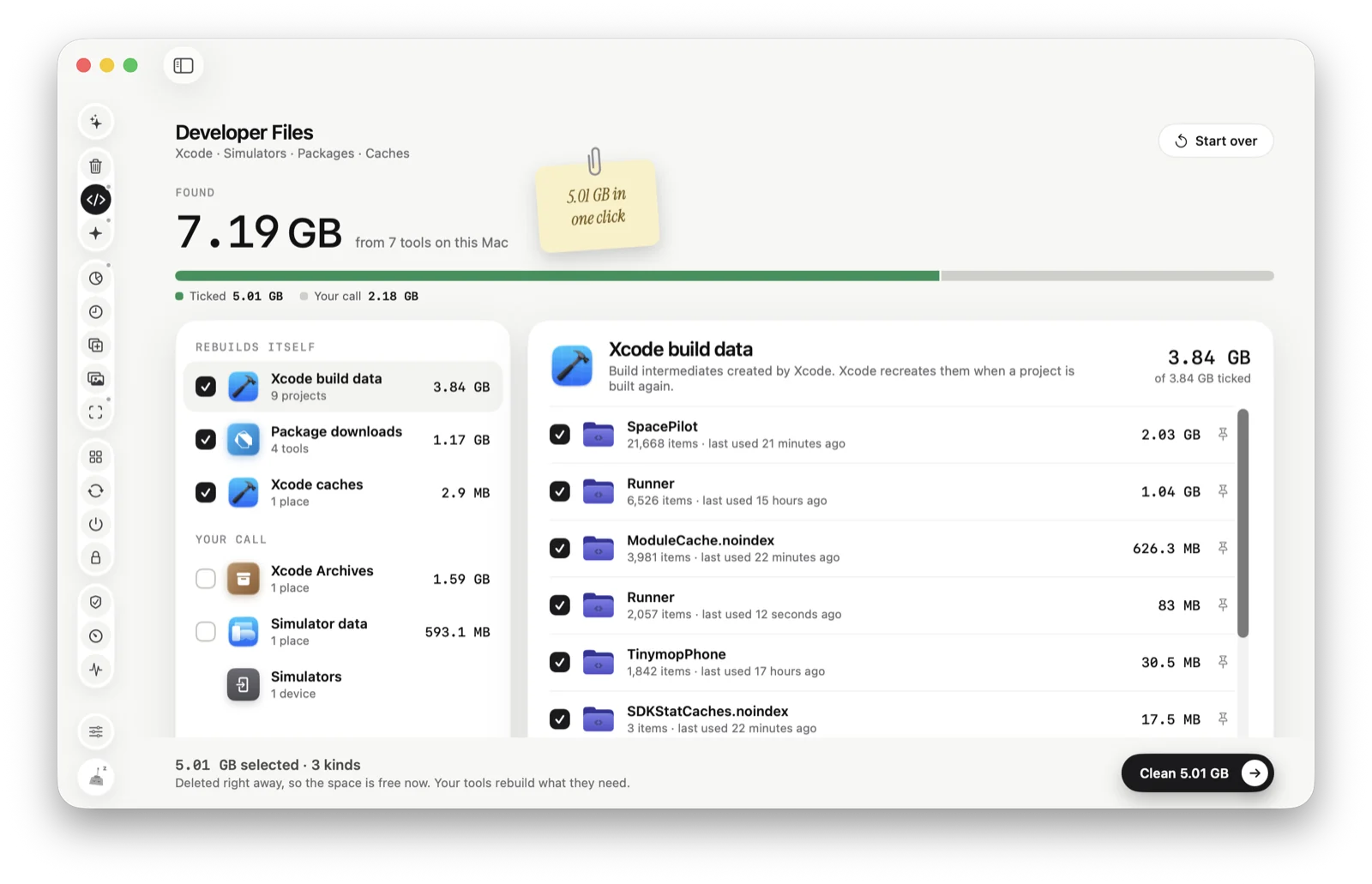
Or let Tinymop check
Developer Files lists your installed simulator runtimes with their versions, and removes one when you choose it. It also finds DerivedData, device support and old simulator data, shows each with its size, and only ticks what Xcode rebuilds. Archives and simulator data are only offered once they’re over 30 days old.
Download for Maccleared