The facts about AppCleaner below are from its website in October 2026, when the current version was 3.7.
The short answer
- Choose AppCleaner if you only want to uninstall apps with their leftover files, for free.
- Choose Tinymop if you want app uninstalling plus everything else that fills a Mac: caches, developer files, AI tool clutter, screenshots and similar photos, all explained.
How each one uninstalls an app
AppCleaner is about as simple as an uninstaller gets. Drop an app on its window, or pick it from the list, and it finds the app’s related files: preferences, caches, support files and so on. You check the list and click Remove. It’s quick, and it’s free; the developer accepts donations.
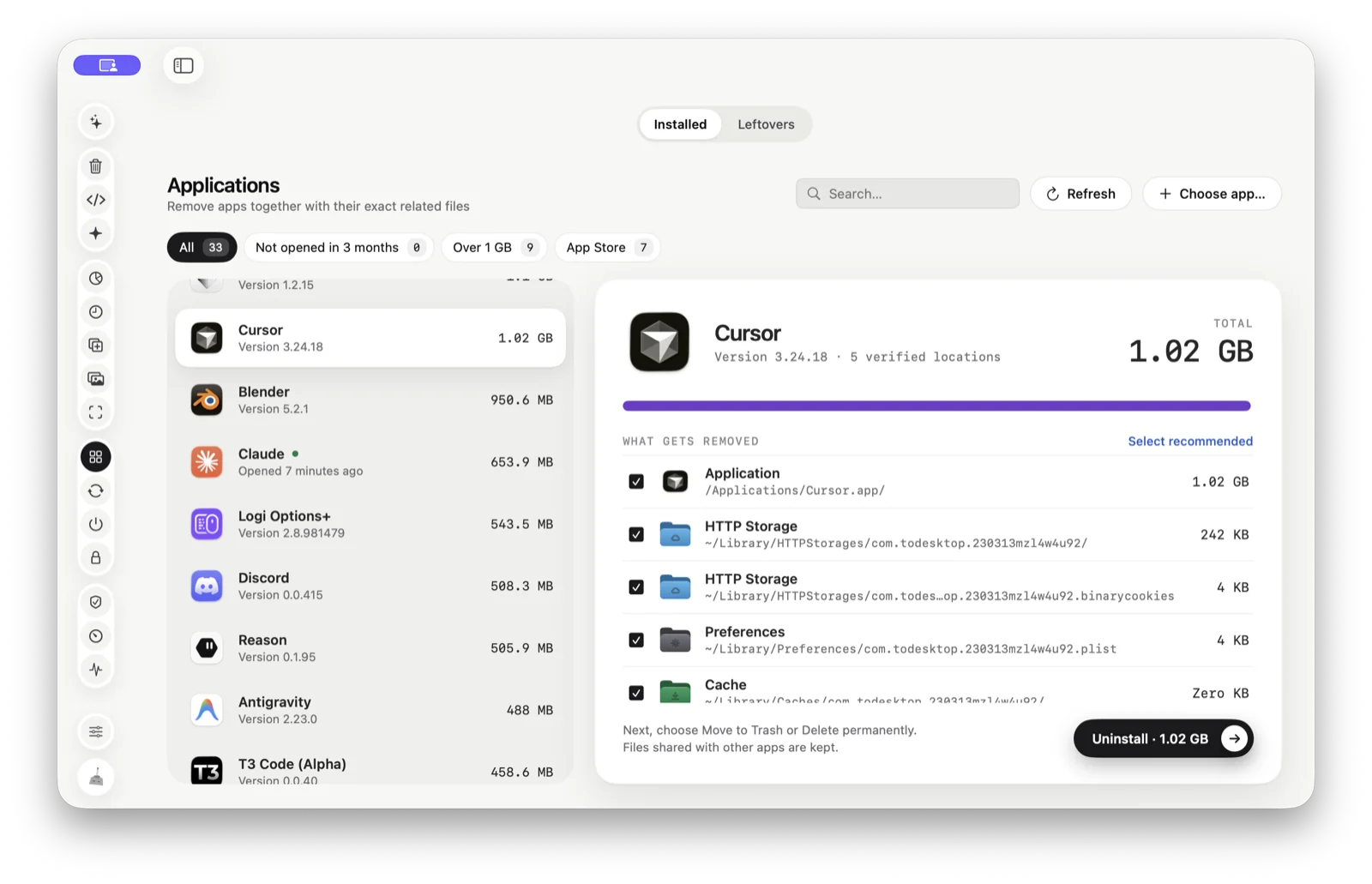
Tinymop’s Applications tool lists every app with its real size, the app and its files together. Choose one and it shows each file it will remove, with its full path. Files shared with other apps are kept, an app that’s open is asked to quit first, and you choose Move to Trash or Delete permanently.
Both do the core job well. If you want to see what either one is doing, our guide to uninstalling Mac apps completely shows where leftover files live.
What else Tinymop does
AppCleaner does one thing. Tinymop has 14 tools, and Applications is one of them. The others:
- Smart Scan, which runs every clean-up at once.
- System Junk for caches, logs and crash reports.
- Developer Files for Xcode, simulators, Docker and package caches.
- AI Clutter for caches and old versions of AI apps, with chats and models left unticked.
- Space Map, Large & Old files, Screenshots, Similar Photos and Tune-up.
Price and Macs
AppCleaner is free. Version 3.7 needs macOS 15 or later; older versions are still available for older systems, back to macOS 10.10.
Tinymop is $14.99 once, for 2 of your Macs, with a 7-day free trial of every tool and a 14-day money-back guarantee. It needs a Mac with Apple silicon and macOS 15 or later.
Which one should you pick?
- You only want to uninstall apps properly, for free: AppCleaner.
- You have an older Mac or macOS: AppCleaner, using the version for your system.
- You want app leftovers and every other kind of clutter handled in one place: Tinymop.
- You want to see each file’s full path and choose Trash or permanent delete: Tinymop.
Try Tinymop free
Applications shows every app with its real size and every file it will remove. Every tool is free for 7 days, then $14.99 once.
Download for Macfreed