Here’s how they differ, and who each one suits.
The short answer
- Choose CleanMyMac if you want one big suite that also scans for malware, and you don’t mind a subscription or a larger one-time price.
- Choose Tinymop if you mostly want space back, care about seeing exactly what will be deleted and why, and prefer to pay once, a small amount, with no subscription.
What each one cleans
Both apps clear the usual space-eaters: caches, logs, leftovers from deleted apps and large files. Both include an app uninstaller and a visual map of your disk.
CleanMyMac is broader. Alongside cleanup it offers malware scanning and removal, performance tasks, an app updater, and a menu bar monitor. MacPaw lists the current features on its website.
Tinymop has 14 tools, focused on space and on the clutter modern Macs collect:
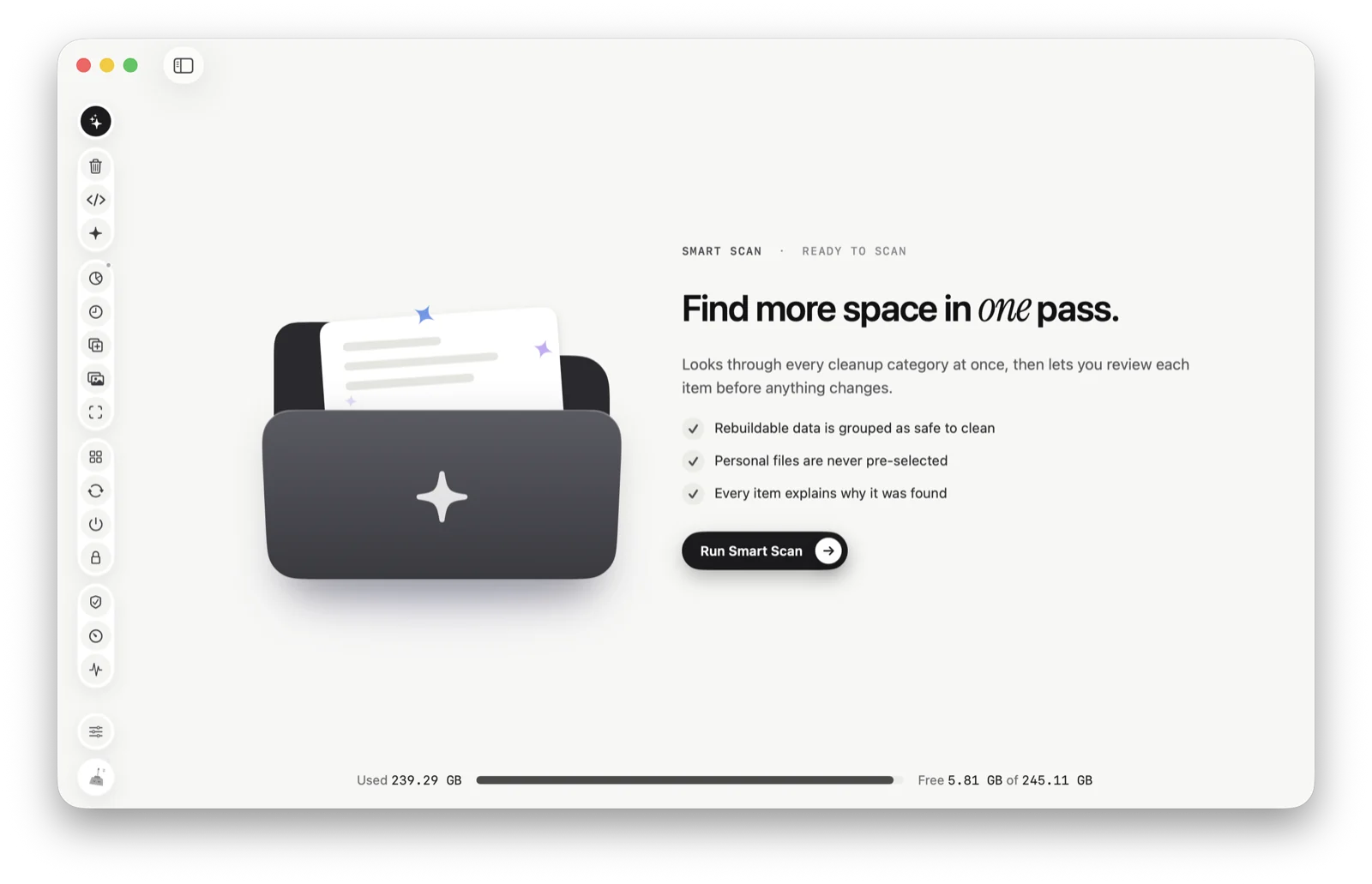
- Smart Scan, which runs every clean-up at once.
- System Junk for caches, logs and crash reports, including browser and chat app caches.
- Developer Files for Xcode build files, simulators, package caches and Docker Desktop’s cache.
- AI Clutter for caches and old versions from AI apps and coding tools like Claude, Cursor and Codex, with your sessions left unticked.
- Space Map, which draws every folder to size.
- Applications for uninstalling apps with their leftovers, plus Screenshots, Similar Photos, large and old files, and Tune-up.
If you write code or use AI tools every day, Tinymop goes deeper on those files. If you want malware scanning in the same app, CleanMyMac covers it and Tinymop doesn’t. Tinymop checks that Apple’s own built-in malware protection is turned on, but it isn’t an antivirus.
How they decide what to delete
This is where the two feel most different.
Tinymop never ticks anything personal. Only things that rebuild themselves, such as caches and build files, are selected by default. Every item says why it was found, apps that are open are skipped, personal files go to the Trash rather than being deleted outright, and after a clean-up every screen lists what actually ran, what was skipped and why, measured before and after. There are no warnings that your Mac is “at risk” and no made-up speed scores.
CleanMyMac also lets you review what it finds before cleaning, and its “smart” selections are designed to be safe. It presents results in a more automatic, one-click style, which many people like.
If you want a cleaner that does it all for you in one click, CleanMyMac’s style may suit you. If you want to see and choose every item, Tinymop is built around that.
Price
Tinymop is $14.99, once. That includes all 14 tools, works on 2 of your Macs, and keeps working for good. There’s a 7-day free trial with every tool, and a 14-day money-back guarantee.
CleanMyMac is sold either as a yearly subscription or as a one-time licence. According to MacPaw, the one-time licence covers updates within the current major version, while a subscription includes future major versions. Prices depend on the plan, how many Macs and where you live, so check MacPaw’s store for today’s price. In every plan we’ve seen, it costs more than Tinymop, and the subscription is paid every year.
Safety and trust
Both apps are signed and notarized by Apple. CleanMyMac has a long track record and a large company behind it. Tinymop is newer and smaller; its promises are simple and checkable: nothing personal is pre-ticked, your files stay on your Mac, and every screen says what really ran.
Which one should you pick?
- You want malware scanning, an app updater and cleanup in one suite: CleanMyMac.
- You’re a developer or use AI tools, and want those files handled carefully: Tinymop.
- You want to pay once, a small amount, with no subscription: Tinymop.
- You want one-click, mostly automatic cleaning: CleanMyMac.
- You want to see exactly what will be deleted, and why, before anything goes: Tinymop.
Both have free trials, so the best test is your own Mac: run each one and compare what it finds and how it explains it.
Try Tinymop free
Smart Scan checks your whole Mac in one go and shows the reason next to every item. Every tool is free for 7 days, then $14.99 once.
Download for Macfreed